Little Autonomy

From overwhelming advice to confident parenting.
Little Autonomy is a mobile app that helps parents build their child’s independence at home through Montessori-inspired guidance and environment setup. We designed it from scratch around two barriers parents face: not knowing what to do, and not being able to prepare the right environment.
Problem
Parents don’t need more advice: they need a credible system
Parents value independence but are overwhelmed by advice and short on clarity. The problem isn’t a lack of information. It’s the absence of a clear system that tells them what to do.
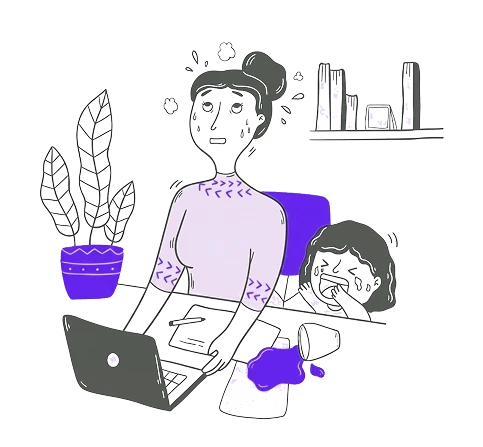
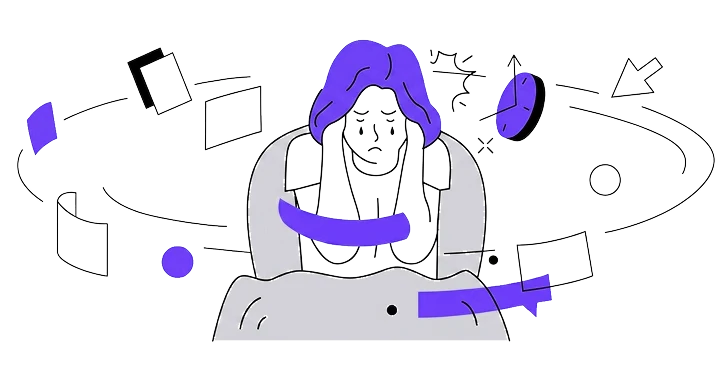
This is what happens when independence is missing at home
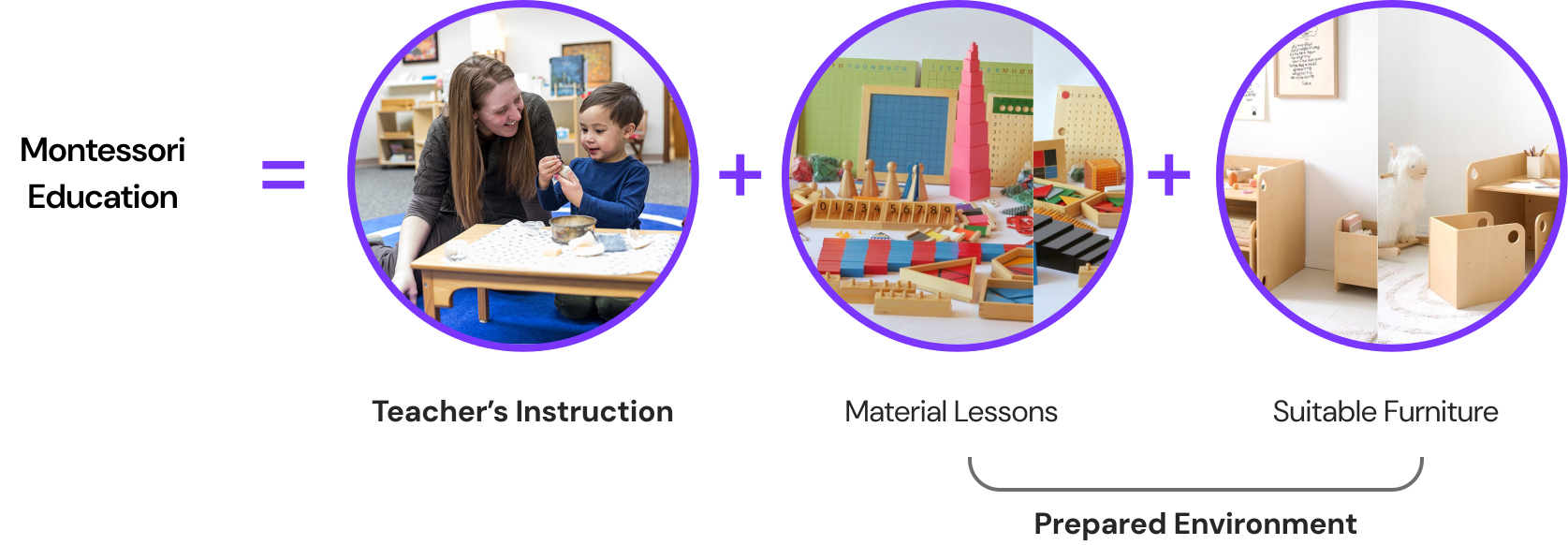
Montessori builds independence through a prepared environment, the hardest part to recreate at home
Montessori works through a prepared environment of instruction, materials, and furniture. At home, materials are costly and clear guidance is scarce.
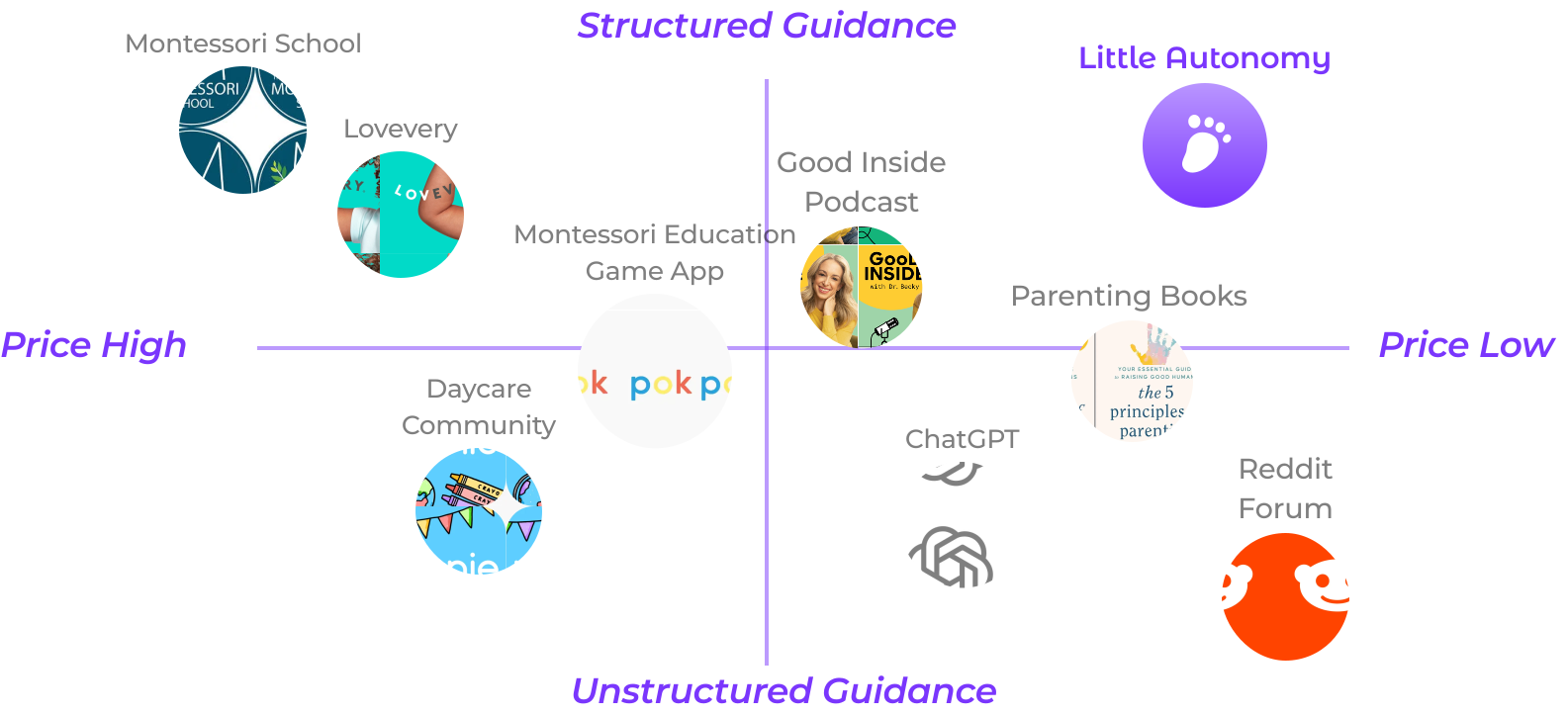
Most solutions give advice; almost none give a system
Existing options are either expensive and structured or cheap and unstructured. Almost nothing offers actionable guidance at an accessible price. That’s the gap Little Autonomy fills.
Solution
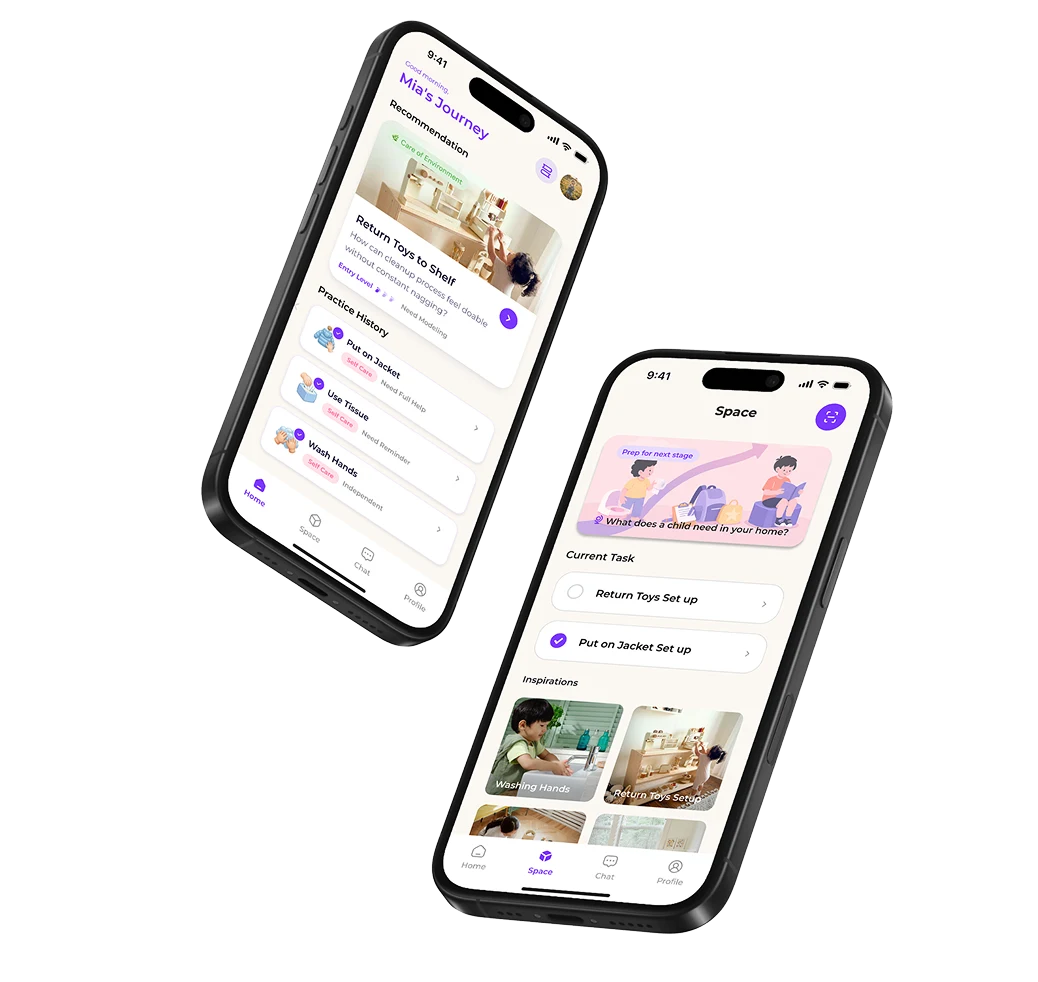
Little Autonomy turns Montessori into a system parents can follow
Little Autonomy is a mobile app that builds a child’s independence at home through the two things Montessori depends on: guided practice on what to do, and help setting up the environment to do it in. Each is matched to the child’s current abilities, so parents always know the next step.
The story of parent and child with the help of Little Autonomy would look like this
Approach
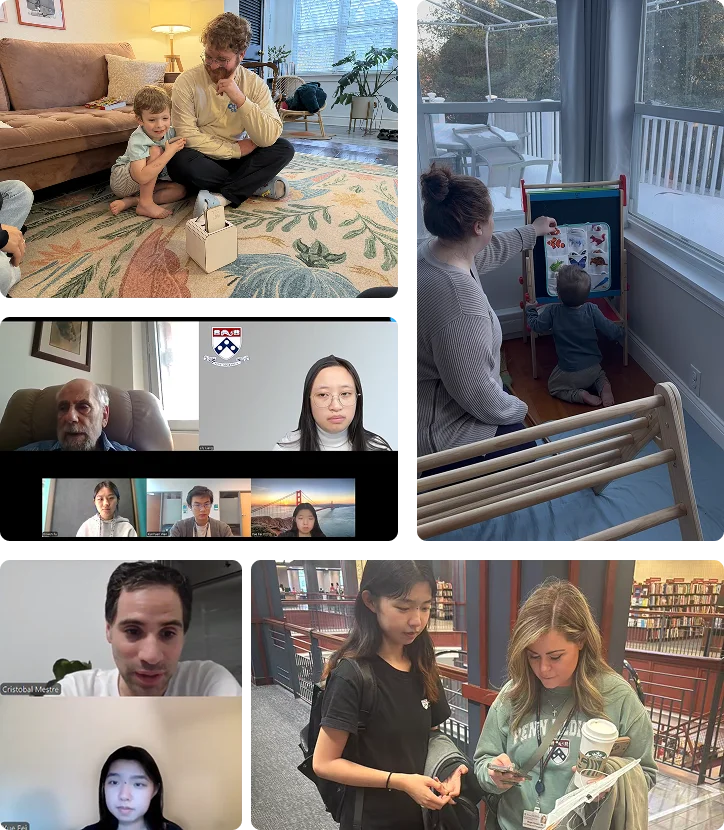
We met parents where they were: in their homes, in their routines, and in their own words
We grounded the project in mixed-method research (interviews, surveys, field visits, and forum analysis) to anchor it in real daily friction, not assumptions.
My Contribution
I led the UX design across the full product, defining the app flow, the personalized recommendation system, and the guided step-by-step practice experience. I also built the conjoint analysis that quantified user feature preferences, which directly drove the decision to cut the AI chatbot in favor of live Montessori educator access. On the business side, I contributed to market sizing and the subscription model. Research was a full team effort across interviews, field visits, surveys, and forum analysis.
Guided Practice
Knowing the goal isn’t the same as knowing today’s next step
We guide parents through what to practice and how to do it, matched to the child’s current ability.

Personalized recommendation
Suggests what to practice based on the child’s current capability, not their age, answering “what should we practice today?”
Step-by-step guidance
Breaks each task into Montessori-style steps — model with minimal words, observe without correcting, and build the routine into daily life.
Task shelf
Keeps activities visible and ready, the way Montessori materials sit on an open shelf within the child’s reach.
We dropped age-based milestones after a parent said the chart made her worry, not act
After a parent told us the age chart made her anxious instead of helping her act, we rebuilt the roadmap around developmental phases.
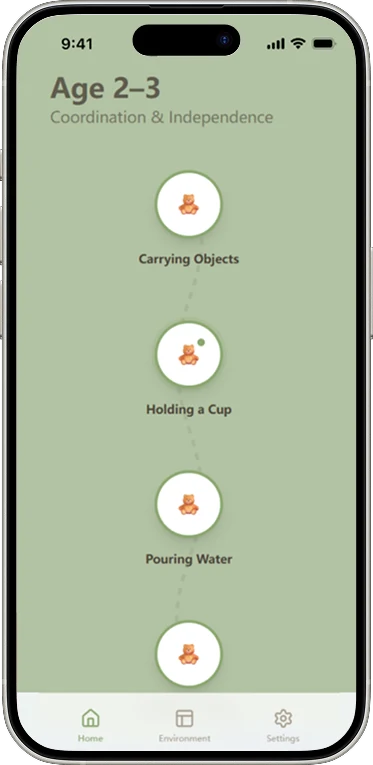
Age-based milestones made parents anxious about where their child should be.
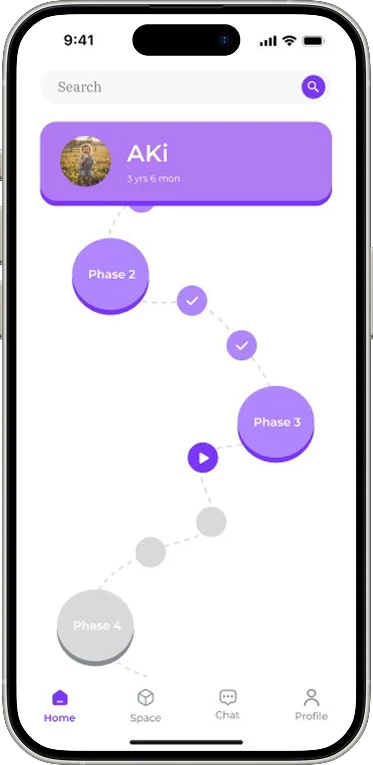
Switched to phase bubbles, better framing but still too abstract for parents to act on.
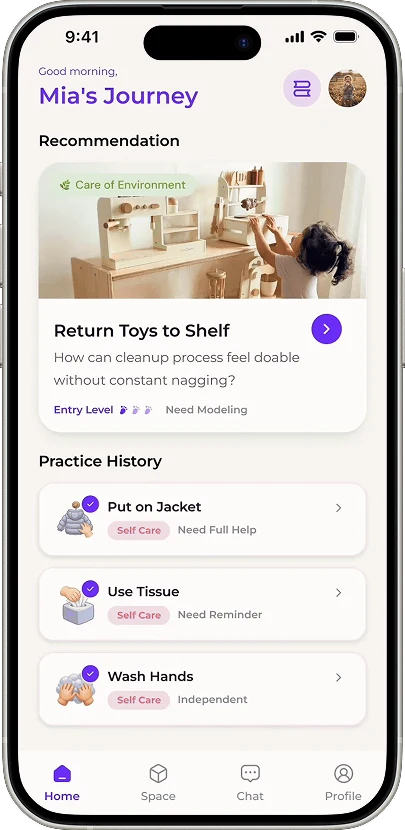
Capability-matched recommendations answer “what should we practice today?”
Environment Setup
The hardest part of Montessori at home is building the space
Since the prepared environment is what parents struggle with most, we made setup the core of the product, so the space does the teaching.
Scan for advice
Point the camera at any room and the app identifies key objects, detects mismatches with Montessori principles, and surfaces specific, actionable suggestions. No manual checklist needed.
Show, don’t tell
Step-by-step illustrations highlight exactly what to move, replace, or add, making every setup action immediately clear without wading through text.
Parents asked for less text, so we replaced the checklist with illustrations and a scan
We swapped our text checklist for illustrated instructions and a scan feature that reads a room and flags what to fix.
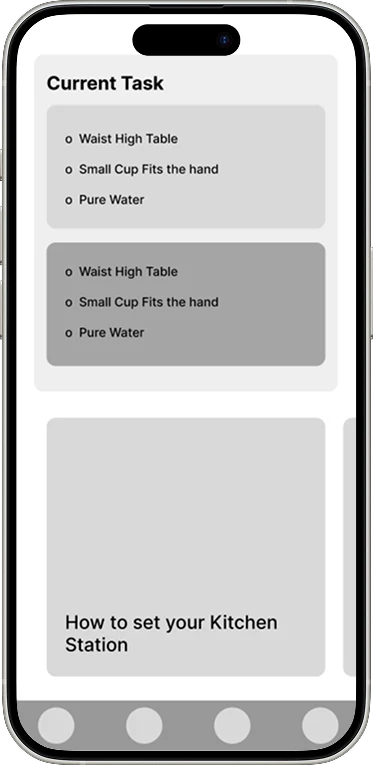
A text-heavy checklist. Parents skimmed it, missed steps, and felt overwhelmed.
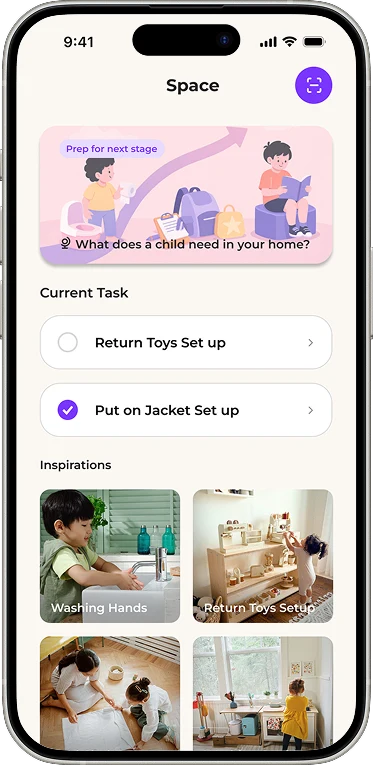
Added illustrations and task cards, clearer but still missing a space assessment.
Expert Guidance
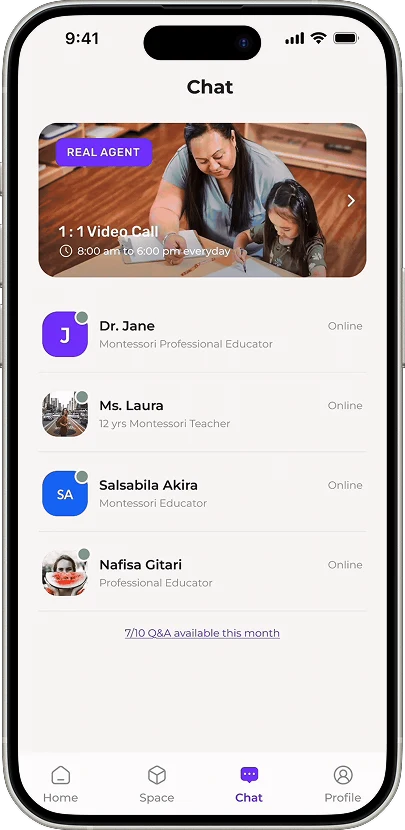
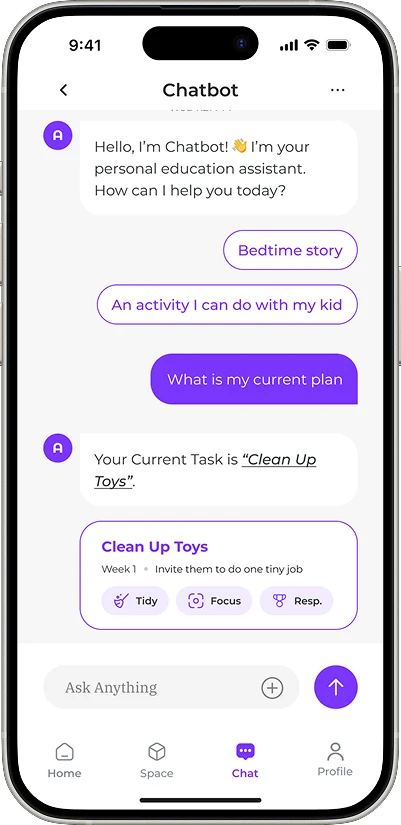
Parents trust people, not chatbots. So we cut the AI.
We connected parents directly to Montessori educators and cut the AI chatbot. Research showed parents trust experts, and it carried a −21.2% preference impact.
Validation
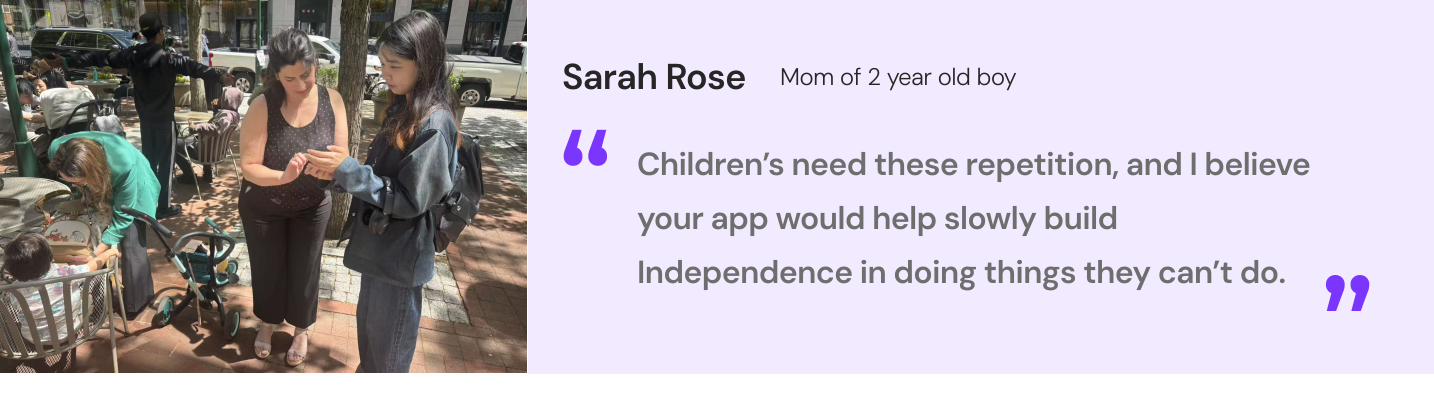
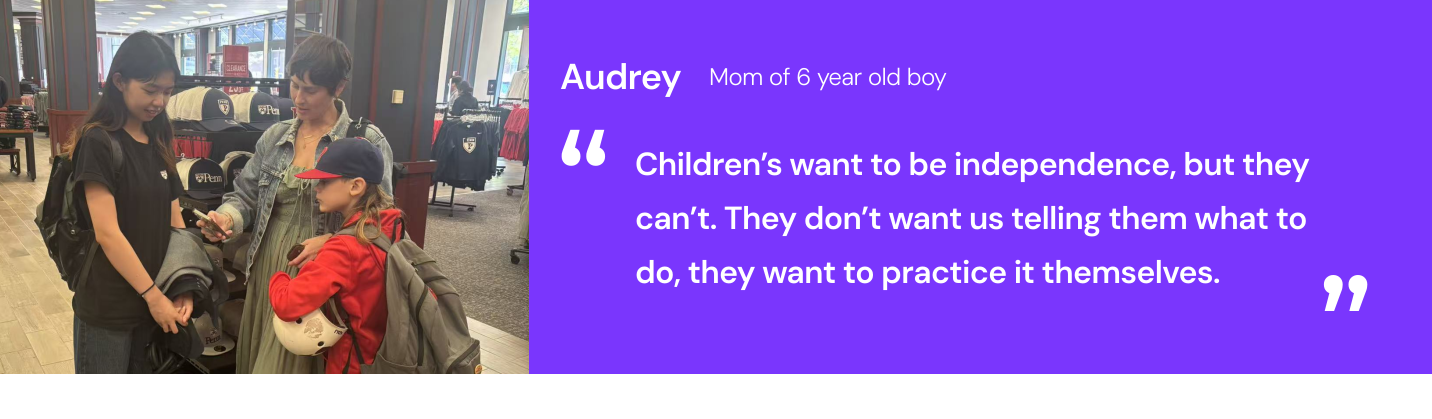
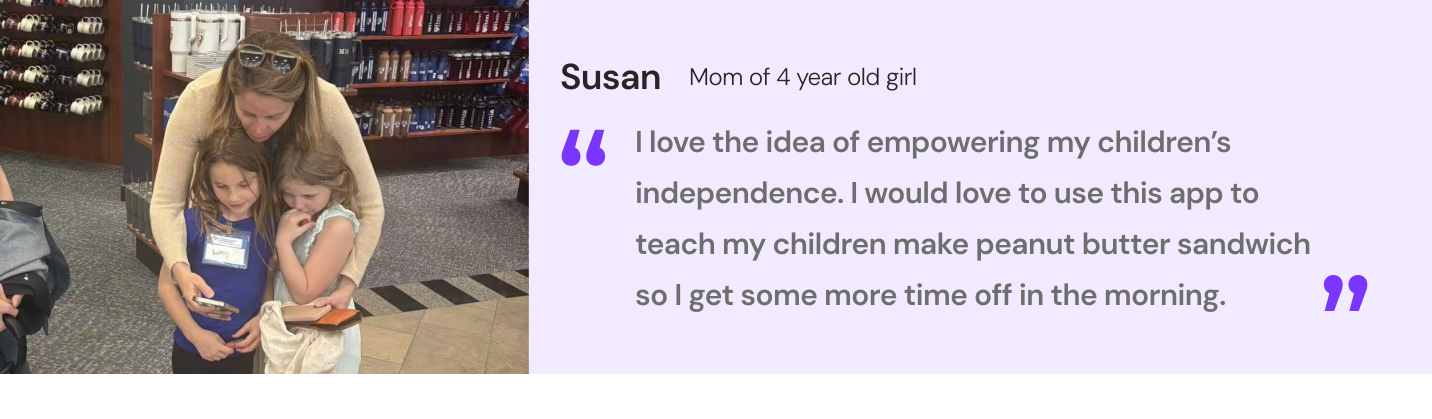
Parents didn’t just like it: they saw their mornings getting easier
Parents told us children want to practice independence, not be told what to do, and saw the real payoff as time back in their own day.
Market Position
An open quadrant: structured guidance at an accessible price
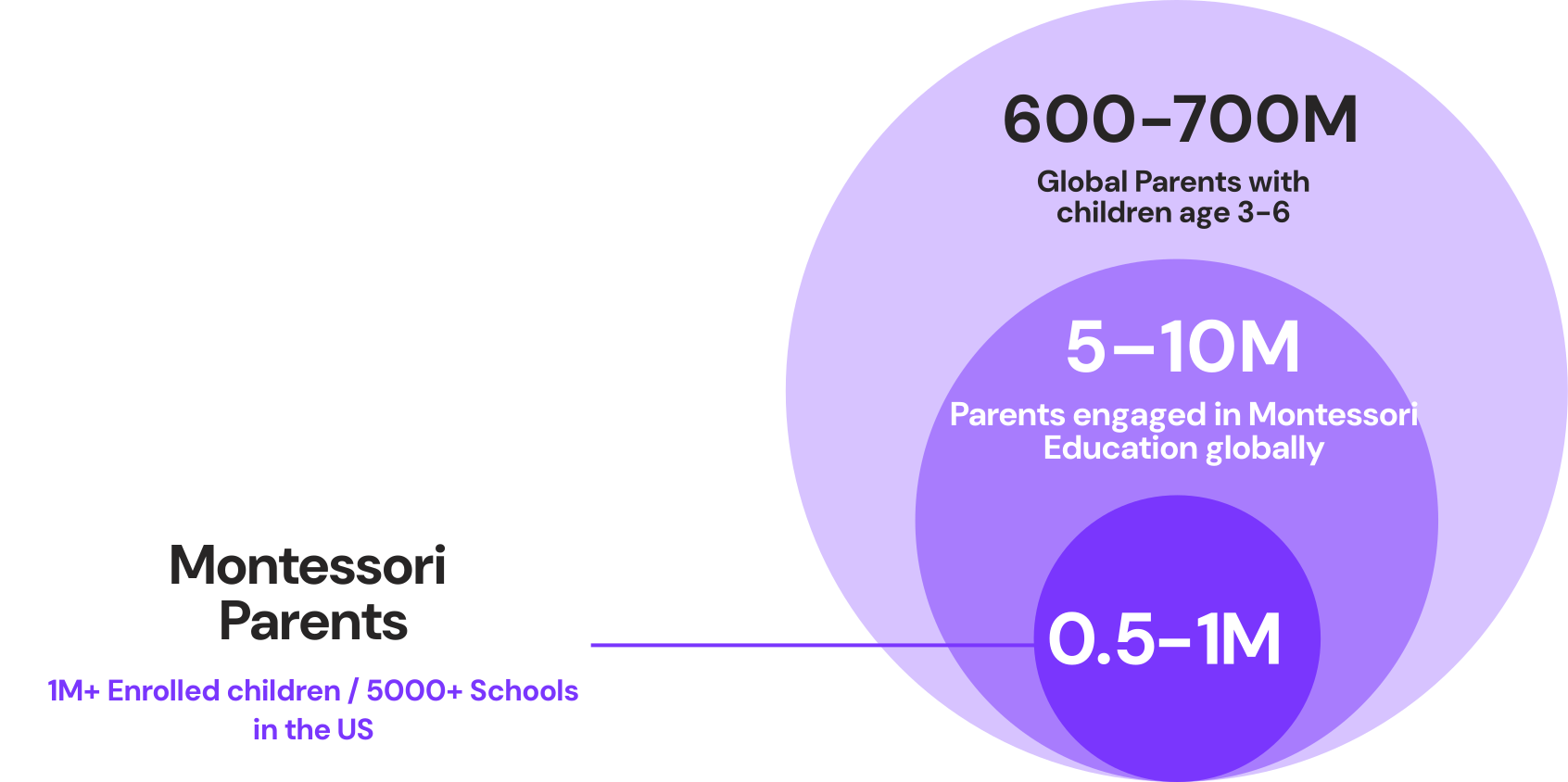
Little Autonomy targets the underserved parents interested in Montessori, not just those already enrolled.
Business Model
A subscription model with proven margins
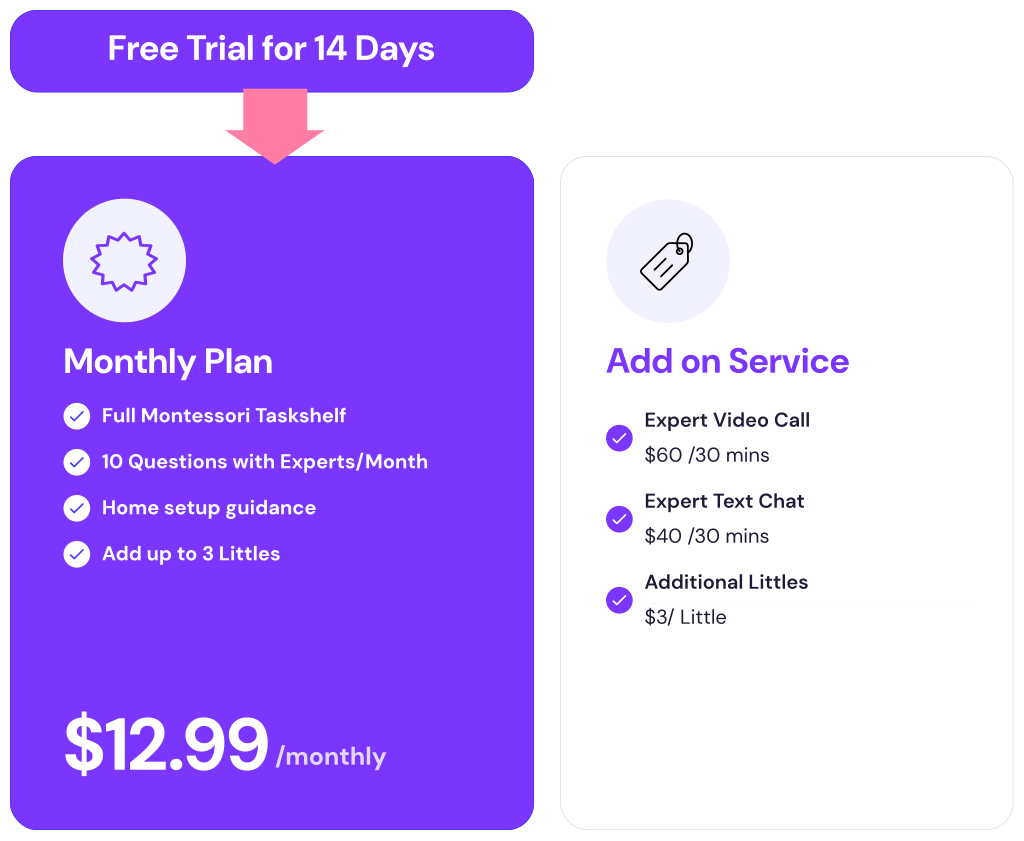
A $12.99/month subscription with expert add-ons, built on healthy margins and a phased path to scale.
Reflection
This project taught me that good design is as much about restraint as addition. The clearest proof was cutting the AI chatbot the research didn’t support. Designing for anxious parents meant building only the few things that genuinely reduced friction: knowing the next step, setting up the space, and reaching a real expert when it mattered.
This was the first project where business constraints directly reshaped design decisions. Our conjoint analysis revealed a clear price sensitivity threshold — which meant cutting a feature we’d planned as core to the experience, and revisiting multiple screens as the business model adjusted. It was uncomfortable to redesign work we’d already refined, but it made the final product more honest about what it could actually sustain.
The other thing that shaped this project most was our external Montessori education mentor. Her passion for the philosophy was contagious — without her, we would have designed around Montessori rather than from it. It reminded me that reaching out early to the right outside voice can change a project’s entire trajectory.
The biggest process lesson: expect to pivot, but don’t treat earlier work as waste. Our early research resurfaced in meaningful ways throughout — the pivots built on what came before rather than discarding it.
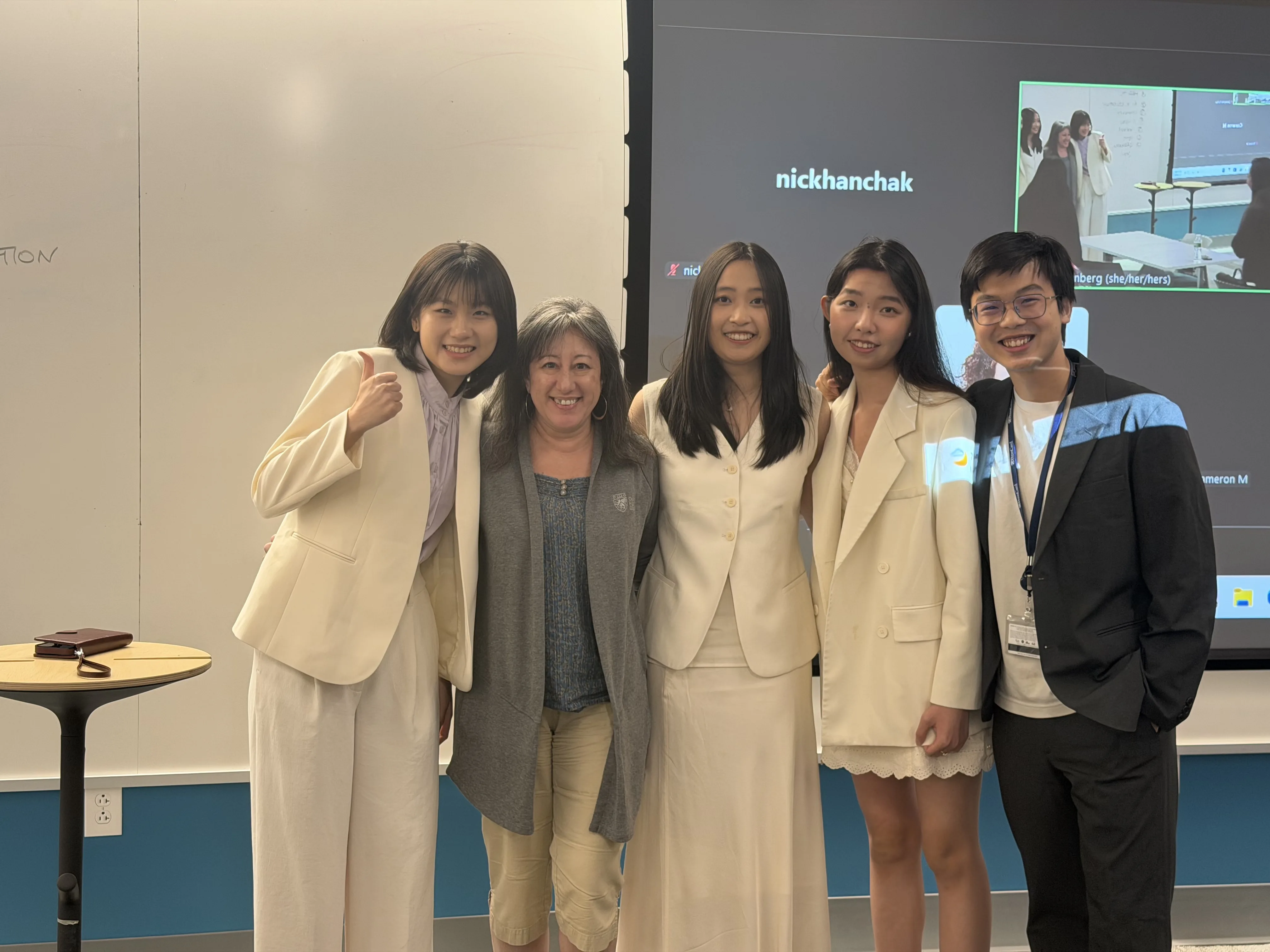
Our team after our final presentation with our external Montessori mentor.
Let's work together.
Currently seeking full-time product design roles for 2026.